Setup guide
Rust can show your steps, your latest heart rate, and today's active calories on the Today screen. Here's how to switch that on — in plain English, with pictures.
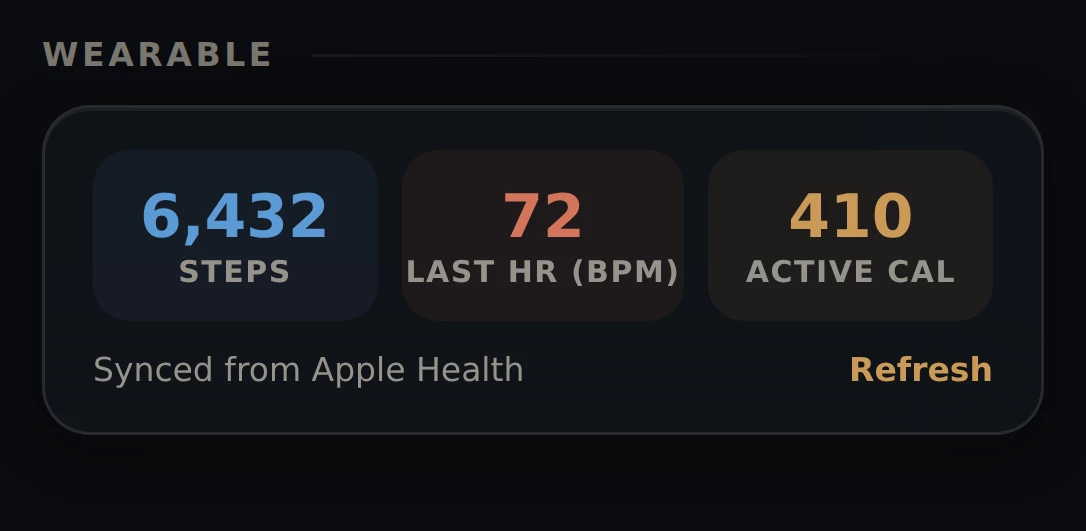
Already have Rust installed? Start in the app. Open Settings and look at the Wearable card. Rust checks your phone and tells you the one thing that needs fixing, with a button to fix it. This page is here for when that isn't enough — or if you're reading before you've installed anything.
Rust does not talk to your watch. Your phone already has a health app in the middle, and Rust reads from that.
This is the part that trips everyone up. Rust is the last stop in the chain. If your watch isn't already sending data into Apple Health or Health Connect, Rust has nothing to read — and it will look broken even though it's working fine.
So pick the setup that matches your phone and watch, and do the steps in order.
Path 1
Six steps. Your Apple Watch already sends everything to Apple Health on its own, so there's nothing to set up on the watch side.
Wear your watch for a bit today.
Rust shows today's numbers. If you only just put the watch on, there may not be much to show yet.
Open Rust and tap Settings.
It's in the tab bar at the bottom of the screen.
Scroll down to the card that says Wearable. Tap Connect Apple Health.
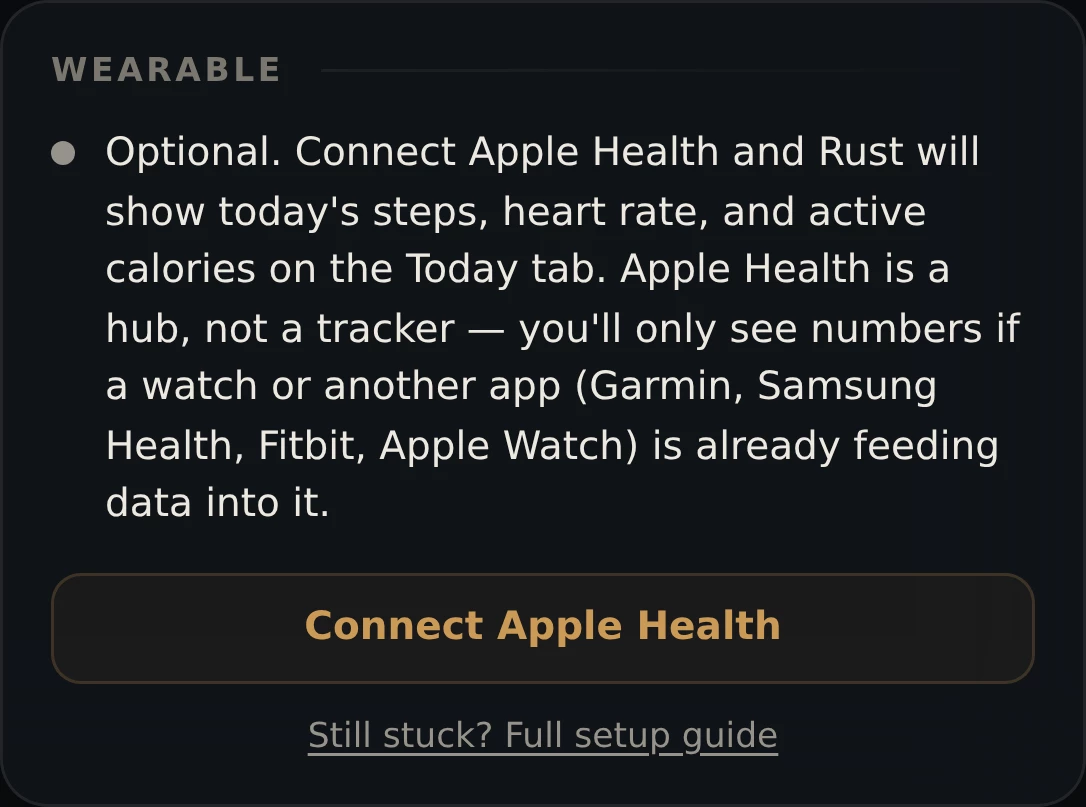
A box slides up explaining what Rust is asking for. Tap Connect.
Now your iPhone takes over. Turn every switch on, then tap Allow.
This screen belongs to Apple, not to us. There's usually a Turn On All shortcut at the top. If you leave a switch off, that number stays blank in Rust.
"Rust" would like to access your health data.
Go to the Today tab. Your numbers are there.
Still blank? Jump to Nothing's showing up.
Path 2
Eight steps. Garmin doesn't write into Apple Health until you tell it to — so that comes first. Do steps 1 to 4 before you touch Rust.
Do these in order. If you connect Rust first, it will read an empty Apple Health and show nothing.
Install Garmin Connect from the App Store, if you don't have it.
This is Garmin's own free app. It's how your watch talks to your phone.
Open Garmin Connect and sign in. Make sure your watch has synced today.
Pull down on the home screen to force a sync. You should see today's step count in Garmin Connect. If you can't see it there, Rust can't see it either.
In Garmin Connect, find its settings, then find Apple Health.
On most versions it's More (bottom right) → Settings → Apple Health. Garmin moves this around between app versions, so if it's not there, look for anything named Connected Apps, Partner Apps or Health.
Turn on permission for Garmin to write Steps, Heart Rate and Active Energy. Tap Allow.
The important direction is Garmin into Apple Health. If there are two lists, the one you want is "Allow Garmin Connect to write data".
"Garmin Connect" would like to update your health data.
Open Rust and tap Settings.
Scroll to the Wearable card. Tap Connect Apple Health.
Read the box that slides up, then tap Connect.
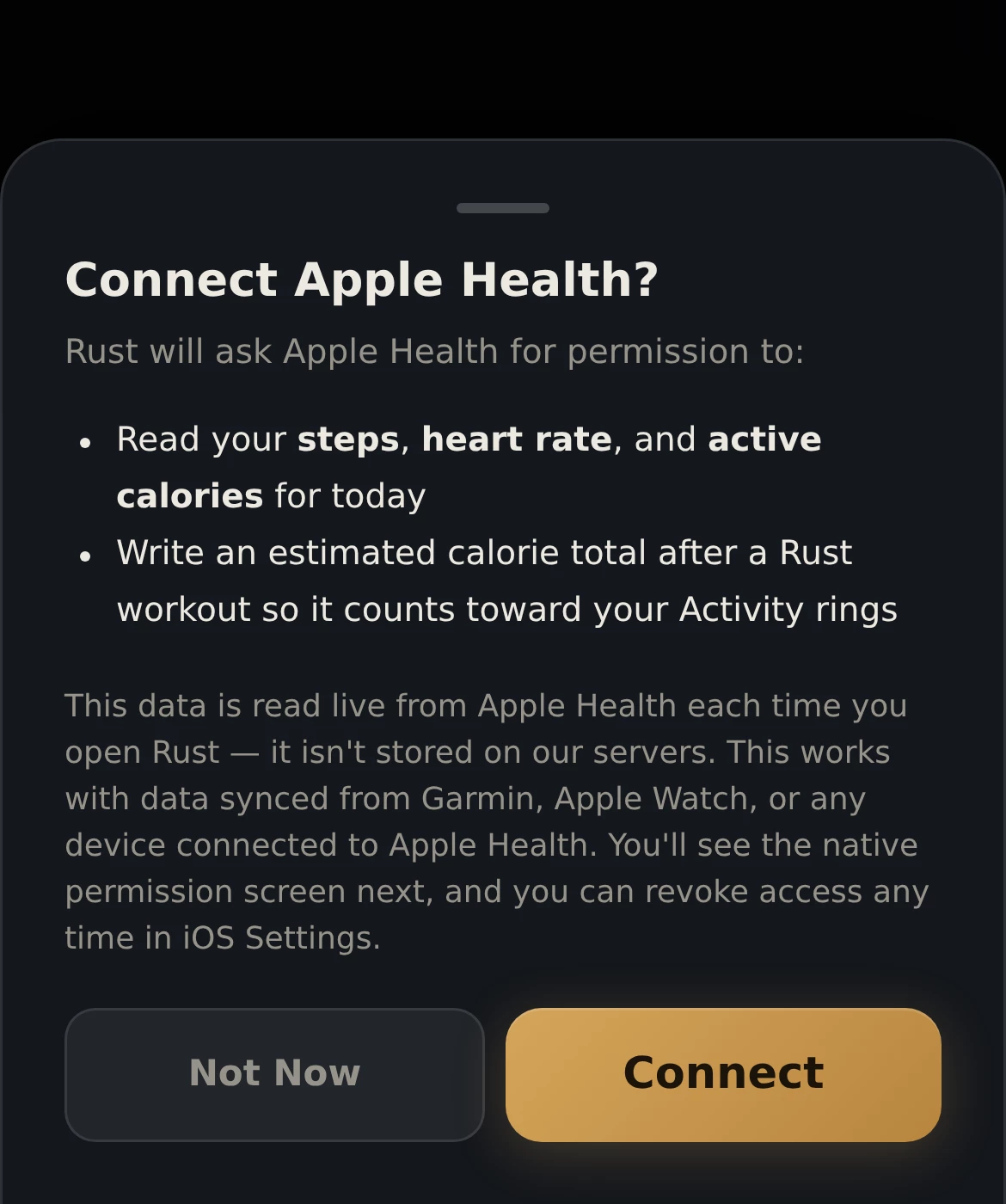
Turn every switch on in the iPhone screen that follows, then tap Allow.
Same screen as Path 1, step 5. Then open the Today tab to see your numbers.
Path 3
Nine steps. On Android the middle app is called Health Connect. You need it installed, and you need your watch's app allowed to write into it.
Do these in order. Health Connect first, your watch's app second, Rust last.
Check your Android version: Settings → About phone → Android version.
Android 14 and newer already has Health Connect built in — skip to step 3.
On Android 13 or older, install Health Connect from the Play Store.
It's made by Google and it's free. Search for "Health Connect".
Open your watch's app and sync. Make sure today's steps are showing there.
Garmin Connect, Samsung Health or Fitbit. If today's numbers aren't in that app, nothing downstream will have them either.
In that app, find its settings and look for Health Connect.
In Garmin Connect it's usually More → Settings → Health Connect. In Samsung Health look under Settings → Health Connect. Labels shift between versions — anything mentioning Health Connect or Connected Apps is the right door.
Allow it to write Steps, Heart Rate and Active Calories. Tap Allow.
Allow Garmin Connect to write data?
Open Rust and tap Settings.
Scroll to the Wearable card. Tap Connect Health Connect.
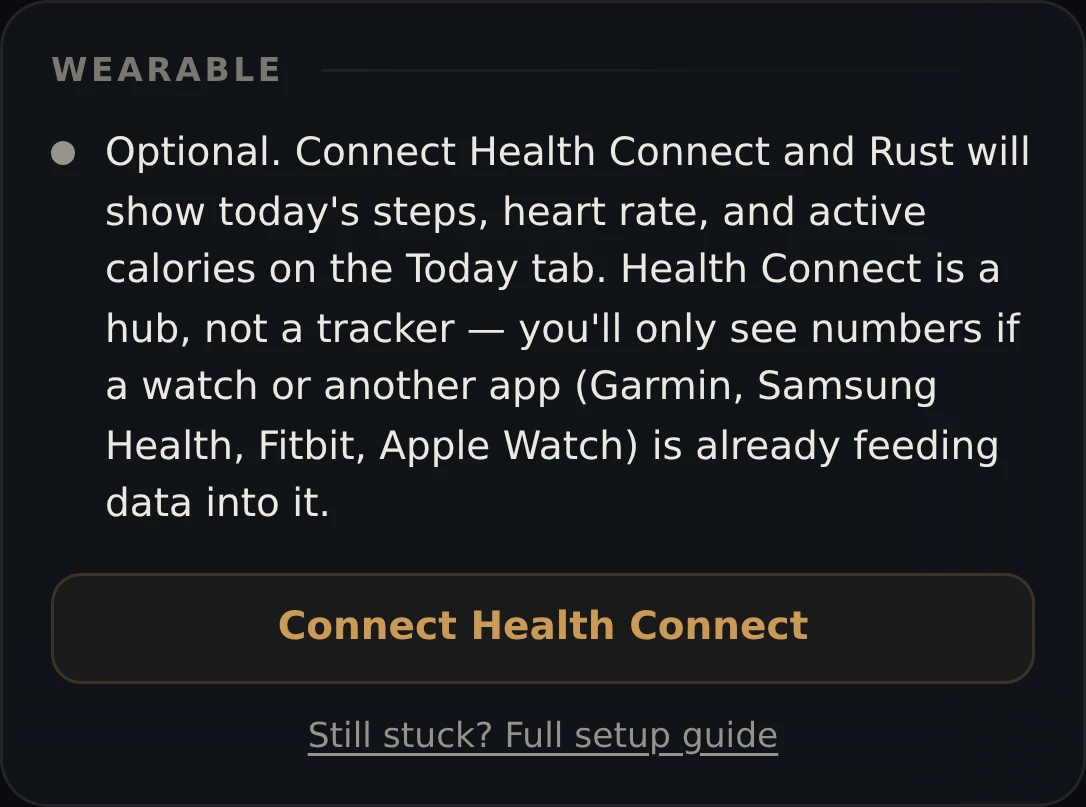
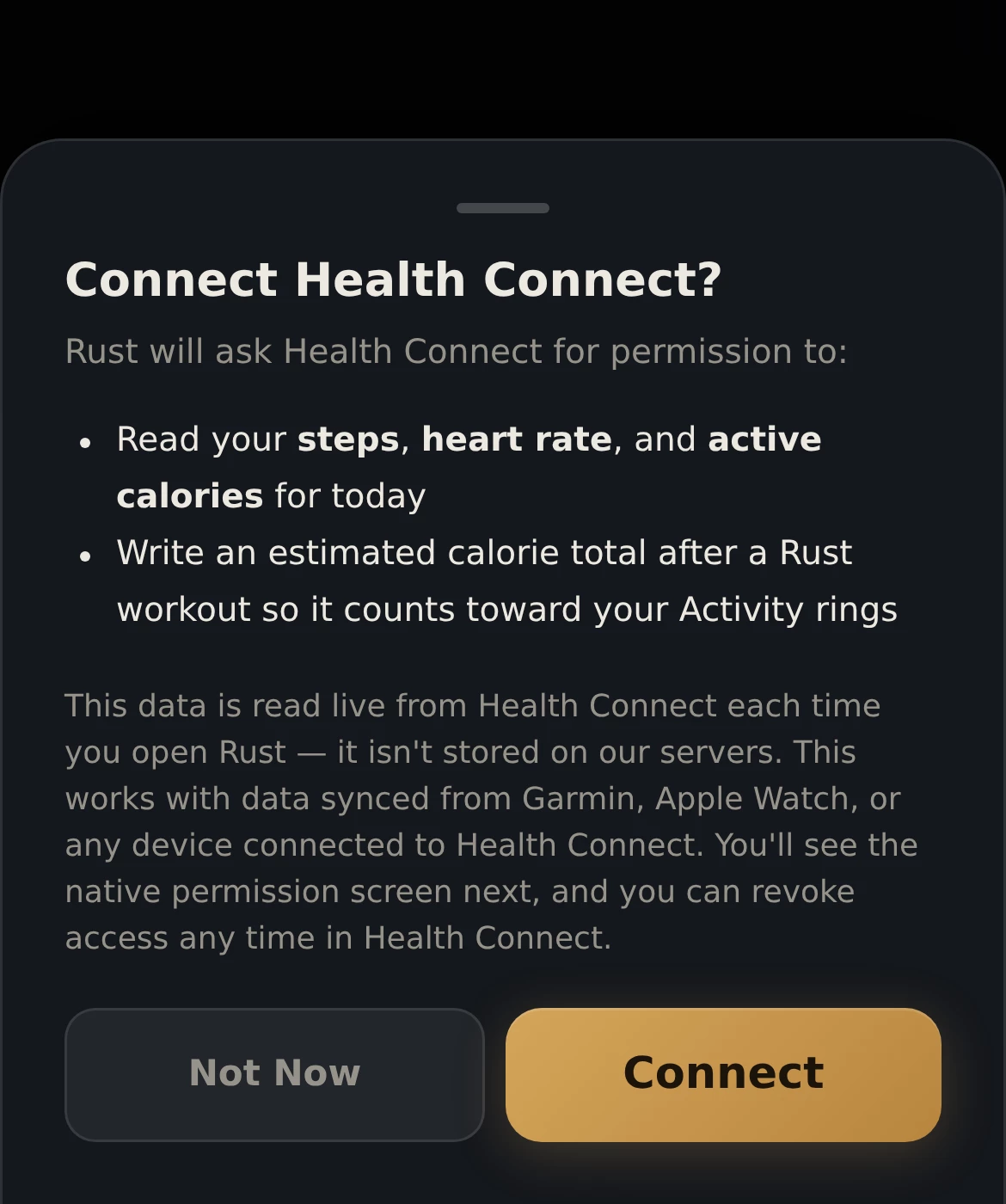
Read the box that slides up, then tap Connect.
Health Connect asks you to confirm. Turn everything on and tap Allow.
Then open the Today tab. Your numbers should be there.
Allow Rust to read data?
Work down this list in order. It's almost always the first one.
Apple Health and Health Connect are hubs, not trackers. On their own they hold nothing. Something has to put data in.
Check it: open Apple Health (iPhone) or Health Connect (Android) directly and look for today's steps. Not there? Then Rust isn't the problem — go back to Path 2 step 4, or Path 3 step 5, and give your watch's app permission to write.
This is by far the most common cause. If you have no watch and no fitness app at all, there is genuinely nothing for Rust to show, and that's expected.
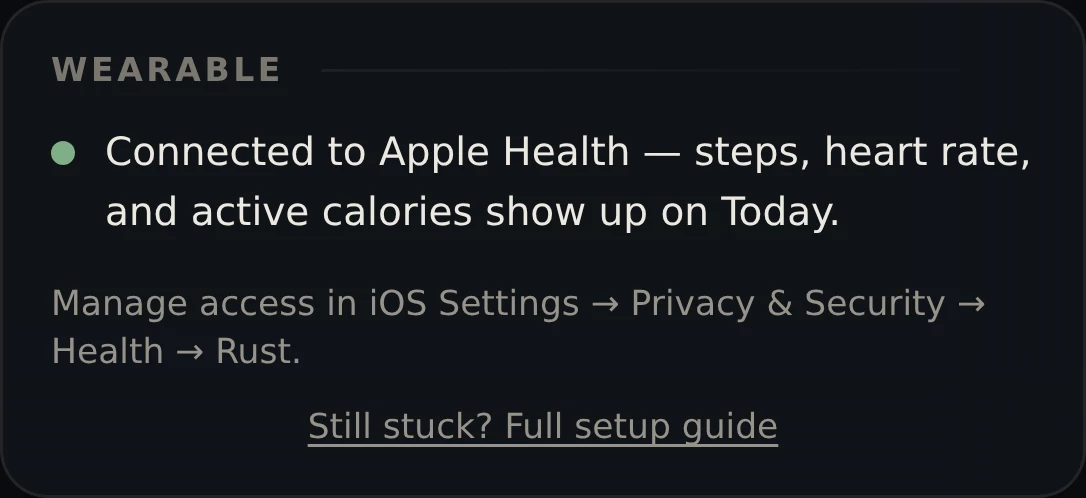
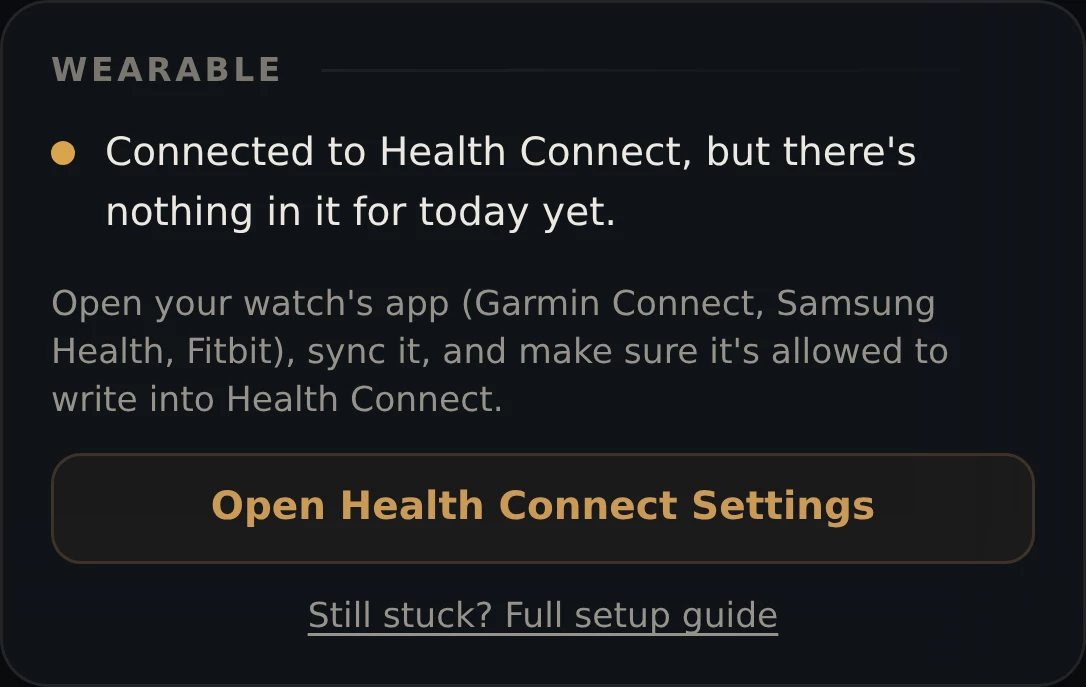
Rust spots this one itself. If it can reach your health app but finds it empty, the Wearable card says so:
If you tapped Don't Allow — even by accident — Rust can't ask again. Both phones block a second prompt on purpose. You have to switch it back on yourself.
On iPhone: Settings → Privacy & Security → Health → Rust, then turn the switches on.
On Android: open Rust → Settings → the Wearable card → Open Health Connect Settings, and turn Rust's permissions on there.
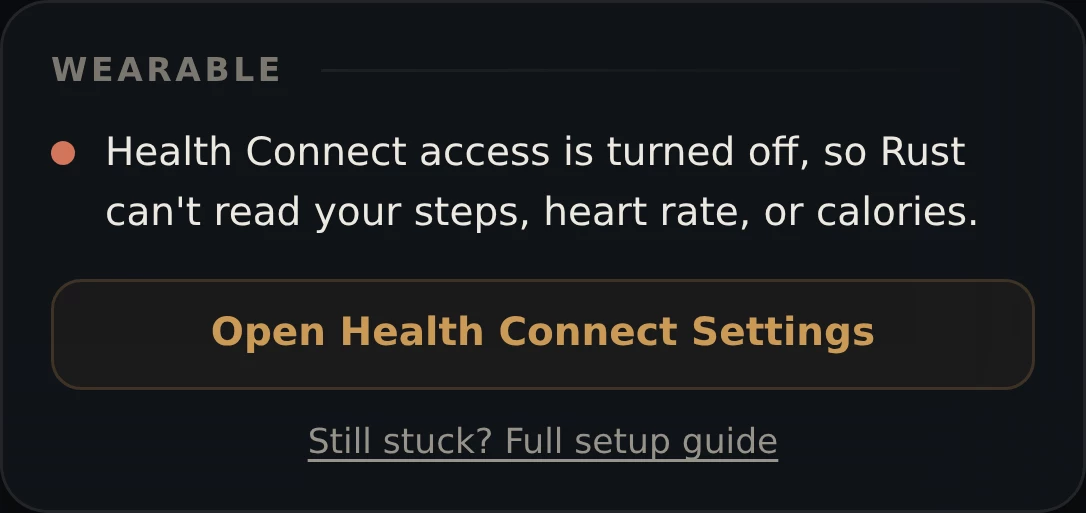
Rust tells you when this has happened — the Wearable card says access is turned off:
Rust shows today's numbers only. A watch that last synced yesterday gives you a blank screen.
Fix it: open your watch's app (Garmin Connect, Samsung Health, Fitbit), pull down to refresh, and wait for it to finish. Keep the watch on your wrist and near your phone with Bluetooth on. Then open Rust and tap Refresh on the Wearable card.
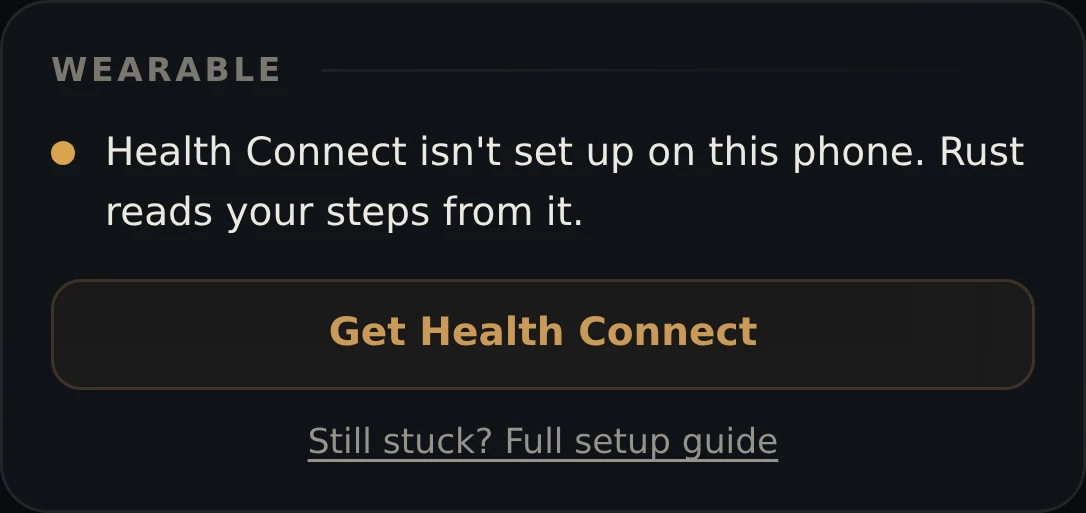
On Android 13 and older, Health Connect is a separate app you have to install. Without it there's no middle step at all, and Rust's Wearable card won't do anything useful.
Fix it: install Health Connect from the Play Store, then start Path 3 from step 3. On Android 14 and newer it's already built in.
Rust detects this too, and gives you the button:
Email us and say which phone and which watch you have, and which step you got to. We answer every one.
We keep this deliberately small. Rust asks for three things, and only for today:
Rust also writes one thing back: an estimated calorie total after you finish a workout, so it counts toward your daily activity.
Rust does not read your sleep or your HRV. It doesn't ask for them, and it can't see them. And none of this is stored on our servers — it's read fresh from your phone each time you open the app, and it stays on your phone.
You can switch it all off whenever you like, and Rust keeps working exactly as before. The wearable connection is optional.
 Rust
Rust